
Quick Answer
Standard non-WiFi baby monitors typically work up to 500 to 1,000 feet outdoors with a clear line of sight, but indoors, walls, floors, and appliances usually cut that down to somewhere between 150 and 300 feet. A WiFi baby monitor removes the range problem entirely for checking in from another floor, another room, or another city, since it connects through your home internet or a mobile app instead of a direct radio signal.
Every parent hits this moment eventually. You are folding laundry two rooms away, or you stepped outside to grab the mail, and suddenly the monitor screen goes fuzzy or the connection drops. That gap between "in range" and "out of range" is one of the most common frustrations with baby monitors, and it is also one of the least understood.
Baby monitor range depends on more than the number printed on the box. The materials in your walls, the layout of your home, other WiFi devices nearby, and whether the monitor uses a direct radio signal or your internet connection all play a role. Here is what actually determines how far you can get from your baby's room and still stay connected.
What Determines a Baby Monitor's Range
Manufacturers advertise range under ideal outdoor conditions with nothing blocking the signal. Real homes rarely look like that. A few factors shrink the usable range far more than most parents expect:
- Building materials. Concrete, brick, plaster, and metal studs absorb or reflect radio signals far more than drywall and wood framing.
- Distance through floors. A signal traveling through two floors loses more strength than the same distance traveling across one level.
- Interference from other devices. Routers, microwaves, cordless phones, and other baby monitors operating on similar frequencies can weaken or disrupt the connection.
- Antenna placement. A camera unit tucked behind furniture or inside a closet loses range compared to one with a clear, open path to the receiver.
This is why a monitor rated for 1,000 feet outdoors might only reliably reach the kitchen and backyard of a typical house, not the far end of a two-story home with plaster walls.
WiFi vs Non-WiFi Range: What's the Real Difference
This is the single biggest factor in how far you can actually get from your baby's room.
Non-WiFi monitors use a direct radio frequency connection between the camera and a handheld parent unit. Once you leave that signal's range, the connection cuts out completely. There is no backup. If you drive to pick up an older sibling from school, the monitor in your bag goes dark the moment you turn out of the driveway.
WiFi monitors connect through your home network and, from there, to a mobile app. As long as you have an internet connection, whether that is your home WiFi, a coffee shop's network, or cellular data, you can check in from anywhere. Range in the traditional sense stops being the limiting factor.
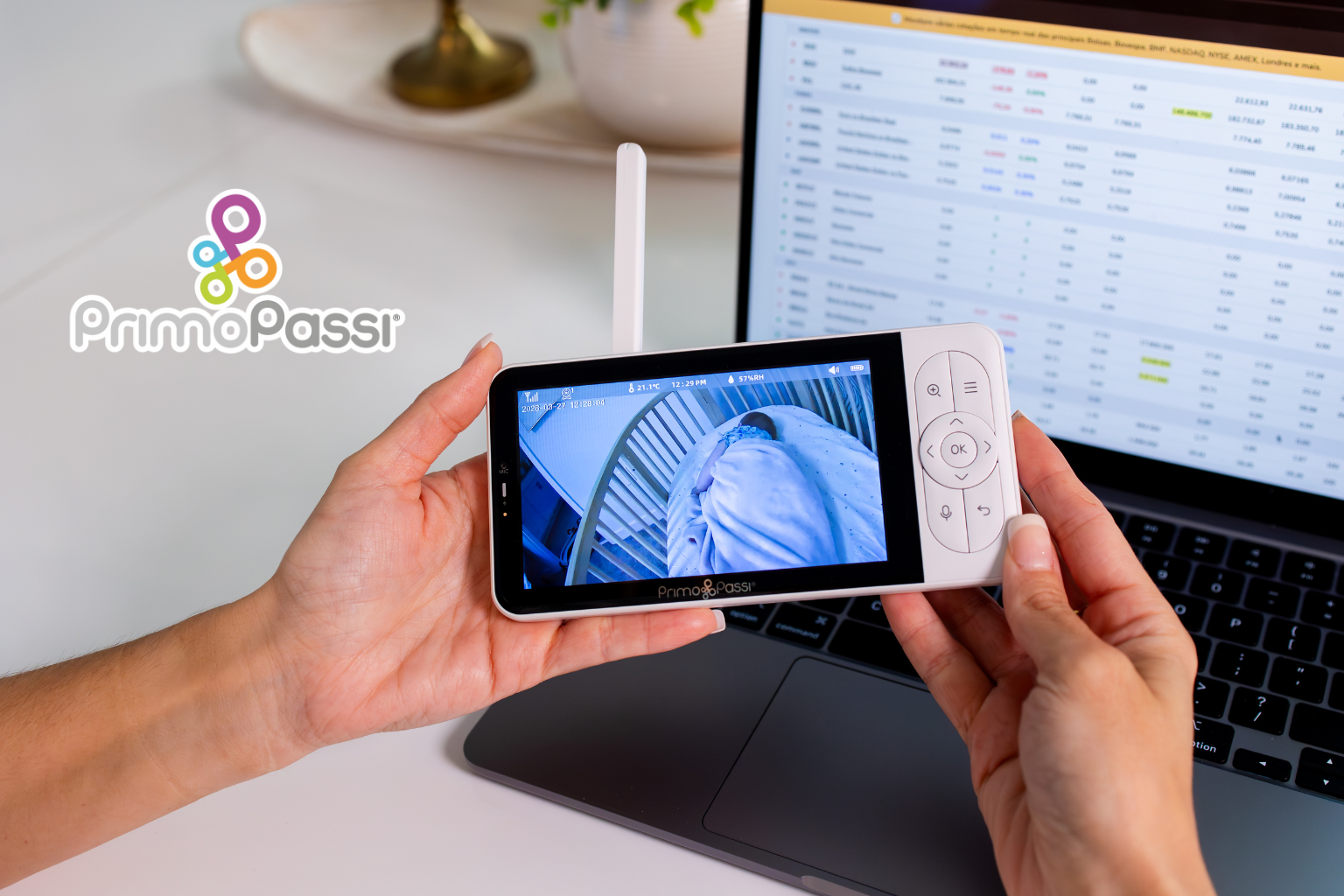
The Primo Passi Smart Wi-Fi Baby Monitor is built around this exact trade-off. It gives you a 5 inch handheld display for the direct, no-WiFi-required connection at home, plus a mobile app for when you are out of that local range. You are not locked into one system or the other.

How Far Is Too Far? Common Range Scenarios
Parents usually run into range limits in a handful of predictable situations. Here is roughly what to expect with a standard non-WiFi monitor:
- Same floor, a few rooms away: Almost always reliable, even through a couple of interior walls.
- One floor up or down: Usually fine in newer homes with wood framing, less reliable in older homes with plaster or concrete.
- Backyard or driveway: Often works, especially with a clear line of sight to a window near the camera.
- Detached garage or a neighbor's yard: This is where most non-WiFi monitors start to fail.
- Different location entirely, like work or a store: Only a WiFi-connected monitor can reach this far.
If your daily routine regularly takes you into that last category, a WiFi monitor removes the guesswork rather than pushing the limits of a radio signal that was never designed for that distance.
How to Test Your Monitor's Real Range at Home
Before you assume a monitor is defective or upgrade to something more expensive, it is worth running a simple test:
- Set up the camera in the nursery exactly where it will stay long term.
- Walk through your home with the parent unit or phone, checking the connection in each room, on each floor, and in outdoor areas you use often.
- Note where the picture starts to break up, the audio cuts out, or the app shows a connection warning.
- Try moving the camera slightly, away from metal appliances or thick walls, and retest.
This gives you an honest picture of your actual coverage instead of relying on the manufacturer's outdoor, obstruction-free number.
Ways to Extend Baby Monitor Range
A few adjustments can meaningfully improve range without buying new equipment:
- Reposition the camera. Higher placement with a clearer line toward where you spend most of your time often helps more than moving the receiver.
- Reduce interference. Keep the camera away from microwaves, cordless phone bases, and other 2.4GHz devices when possible.
- Strengthen your home WiFi. For WiFi monitors specifically, a mesh WiFi system or a strategically placed extender can resolve dead zones that limit app connectivity.
- Update firmware and the app. Manufacturers regularly release updates that improve connection stability.
Range Considerations for Multi-Story or Larger Homes
Families in larger homes face a specific challenge: the nursery might be on the opposite end of the house from where parents spend the evening. In these layouts, a non-WiFi monitor alone often cannot bridge that distance reliably.
A dual mode monitor like the Primo Passi Smart Wi-Fi Baby Monitor addresses this directly. At home, the direct connection covers the areas near the nursery without depending on internet speed. When you move further away, whether that is the opposite wing of the house or the driveway, the app picks up where the direct signal drops off.
Safe Placement Still Matters More Than Range
Whatever monitor you choose, range should never come at the cost of safe placement. The Consumer Product Safety Commission has documented infant strangulation incidents tied to monitor cords placed too close to sleeping areas. Their guidance is clear: keep the camera and any cords at least 3 feet away from any part of the crib, bassinet, or play yard, and never mount or place a monitor inside or on the crib's edge.
A monitor with excellent range still needs to be positioned safely first. Prioritize a stable, elevated mount well outside the crib's reach, then work on optimizing the connection from there.
Audio Monitors vs Video Monitors: Does Range Differ?
Audio-only monitors and video monitors generally use similar radio technology, so range is not usually the deciding factor between the two. Where they differ is in how quickly you notice a problem. An audio monitor only tells you something is wrong once your baby makes a sound loud enough to trigger it. A video monitor lets you check visually, even during a stretch of silence, which many parents find more reassuring during a nap or when a toddler has gone quiet in a way that seems unusual.
If range is your main concern, the connection type (direct radio frequency versus WiFi) matters far more than whether the monitor includes a camera.
Choosing a Monitor Based on Your Home Layout
Range needs look different depending on your living situation, so it helps to think about your own layout before comparing specs:
- Apartment or single-story home: A standard non-WiFi monitor is usually more than enough, since the whole space typically falls within its rated range.
- Two-story home: Look for a monitor with a stronger rated range, or test placement carefully before committing to one spot for the camera.
- Large or multi-story home: A dual mode monitor with both a direct display and app access gives you the most reliable coverage, since you are not depending on a single connection type to reach every corner of the house.
- Frequent travel or time away from home: A WiFi monitor is close to essential here, since a direct radio connection cannot follow you outside the house at all.
There is no single right answer. The goal is matching the monitor's connection type to how far you actually need to be from the nursery on a typical day, not just the biggest number on the packaging.
When Range Alone Isn't the Answer
If you find yourself constantly testing the edges of your monitor's signal, that is usually a sign to reconsider the type of monitor rather than the specific model. Non-WiFi monitors are simple, private, and do not depend on your internet connection, which makes them a great fit for smaller homes or parents who are almost always nearby. For families who regularly step away, whether for work, errands, or travel, a WiFi-enabled monitor removes the range question rather than trying to stretch a radio signal further than it was built to go.
Frequently Asked Questions
How far can a baby monitor reach?
Most non-WiFi baby monitors are rated for 500 to 1,000 feet outdoors with a clear line of sight, but indoor range is typically much lower, often between 150 and 300 feet once walls and floors are factored in. WiFi monitors are not limited by distance in the same way, since they connect through the internet rather than a direct radio signal.
Why does my baby monitor lose signal in certain rooms?
Signal loss usually comes from building materials like concrete or plaster, distance through multiple floors, or interference from other electronics operating on a similar frequency. Moving the camera or receiver, or switching to a WiFi model, can often resolve this.
Do WiFi baby monitors have unlimited range?
WiFi monitors are not limited by traditional signal range, but they do depend on a stable internet connection at both ends. If your home WiFi is weak in the nursery, or your phone loses cellular or WiFi signal while out, the connection can still be interrupted.
Can I use a baby monitor from another floor of the house?
Often yes, though reliability depends on the building materials and distance. Newer homes with wood framing usually handle this well, while older homes with plaster or concrete floors may see more interference. A dual mode monitor with both a direct display and an app gives you a backup option if the direct signal weakens.
Will a baby monitor work from my car in the driveway?
A standard non-WiFi monitor may or may not reach the driveway depending on your home's layout and the monitor's strength. A WiFi-connected monitor, like the Primo Passi Smart Wi-Fi Baby Monitor, will work anywhere you have an internet or cellular connection, including your car.
What is the best baby monitor for a large home?
For larger or multi-story homes, a monitor with both a direct display and WiFi app access offers the most reliable coverage, since it is not limited to a single connection type. This flexibility helps bridge the distance between the nursery and the areas of the house where you spend the most time.